Want to save money on your home phone bill? Google Voice offers a free, flexible way to make and receive calls using your existing landline phone. This voice over internet protocol (VoIP) service lets you keep your home phone number, cut costs, and add smart features like voicemail transcriptions and call forwarding. Many people still rely on landline phones for their reliability and familiarity. In 2023, about 29% of U.S. households used a landline, according to the CDC’s National Health Interview Survey. By combining Google Voice with your landline, you get modern features without losing the comfort of your cordless phone or landline speaker phone.
This guide shows you how to set up Google Voice with a landline phone. We’ll cover equipment, step-by-step instructions, and tips to improve your experience. Whether you want to ditch pricey telecom bills or keep your long-held phone number, this article has you covered.
What Is Google Voice and How Does It Work?
Google Voice is a cloud-based phone service. It gives you a free phone number for calls, text messages, and voicemails. You can use it on mobile phones, computers, or landline phones with the right setup. Unlike traditional landline services, Google Voice uses your internet connection to route calls. This saves money and adds features like spam filtering and AI-powered transcripts.
Here’s how it works with a landline:
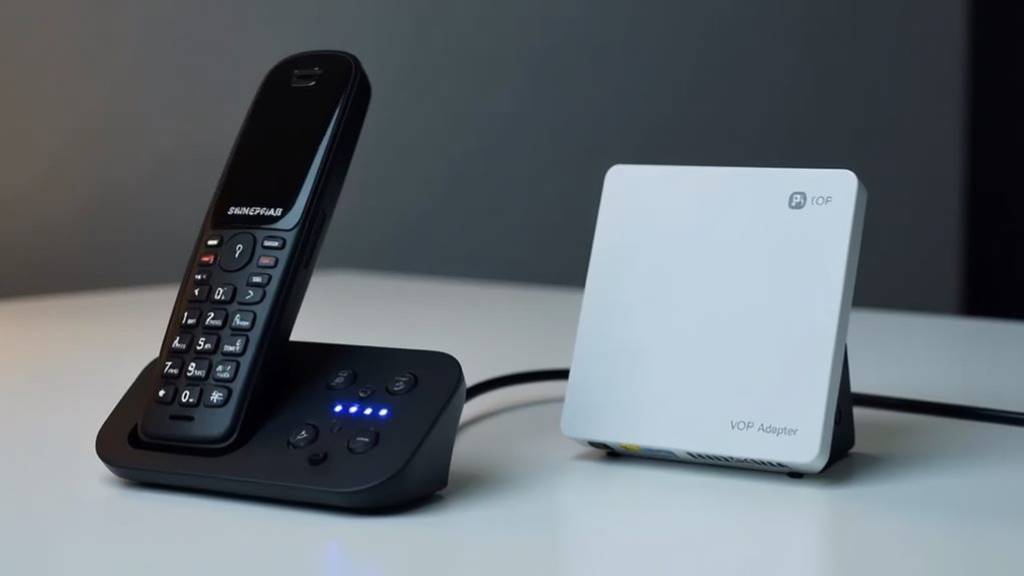
- You connect a VoIP adapter, like an Obihai adapter, to your router.
- Your landline phone plugs into the adapter.
- Google Voice routes calls through the internet to your phone.
This setup mimics a traditional landline but uses internet-based solutions for better flexibility and lower costs.
Benefits of Using Google Voice with a Landline
Why pair Google Voice with your landline? Here are the key advantages:
- Cost Savings: Most U.S. and Canada calls are free. International calls have low rates.
- Keep Your Number: Port your existing landline number to Google Voice.
- Smart Features: Get voicemail transcriptions, call forwarding, and auto spam blocking.
- Flexibility: Use your Google Voice number on multiple devices, like mobile phones or computers.
- No Landline Contract: Eliminate monthly fees from telecommunications companies.
A 2022 Pew Research study found 73% of Americans want affordable communication options. Google Voice delivers that with no monthly cost for personal use.
What You Need to Get Started
Before setting up Google Voice with your landline, gather these essentials:
- Google Account: A valid Google Account is required to sign up for Google Voice.
- Internet Service: A stable broadband connection powers VoIP calls.
- VoIP Adapter: Devices like the Obihai adapter or Grandstream HT801 connect your landline phone.
- Landline or Cordless Phone: Any analog phone works with the adapter.
- Phone Number: A U.S. or Canadian number (mobile or landline) for verification.
Optional but helpful:
- E911 Service: Google Voice doesn’t support 911 calls natively. Services like Anveo ($25/year) add emergency support.
- Router with Ethernet Port: Most adapters connect via Ethernet for reliability.
Step-by-Step Guide to Setting Up Google Voice with a Landline
Follow these steps to use Google Voice with your landline phone. This process uses an Obihai adapter, a popular choice for Google Voice users.
Step 1: Sign Up for Google Voice
- Go to voice.google.com.
- Sign in with your Google Account.
- Choose a Google Voice number or port your existing number (more on porting later).
- Verify your account with a U.S. or Canadian phone number.
- Enter the verification code sent via text or call.
- Finish setup by linking your number.
Tip: Pick a number with a local area code for familiarity.
Step 2: Purchase a VoIP Adapter
You need a VoIP adapter to connect your landline phone to Google Voice. Popular options include:
- Obihai Adapter (Obi200/Obi212): Reliable and easy to set up. Costs $50–$70 on Amazon.
- Grandstream HT801: A budget-friendly alternative at around $40.
- Ooma Telo: Offers additional features but costs more ($80–$100).
Check retailer sites like Amazon or Newegg for deals. Avoid end-of-life (EOL) models like the Obi200, as support ends soon.
Step 3: Connect the VoIP Adapter
- Plug the VoIP adapter into an Ethernet port on your router.
- Connect your landline or cordless phone to the adapter’s phone jack.
- Power on the adapter and ensure it’s online (check for a green light).
Step 4: Configure the Adapter with Google Voice
- Visit the adapter’s setup portal (e.g., obitalk.com for Obihai devices).
- Log in or create an account.
- Add your Google Voice account to the adapter.
- Follow prompts to link your Google Voice number.
- Configure settings for incoming and outgoing calls.
- Test the setup by making a call.
Note: Some adapters, like Obihai, require firmware updates for compatibility. Check the manufacturer’s site.
Step 5: Set Up E911 Service (Optional but Recommended)
Google Voice doesn’t support 911 calls natively. For safety:
- Sign up for an E911 service like Anveo or PunchAlert ($15–$25/year).
- Link the service to your VoIP adapter.
- Test the 911 service to ensure it works.
Step 6: Customize Google Voice Settings
Log in to voice.google.com to tweak settings:
- Call Forwarding: Link up to six numbers to ring simultaneously.
- Voicemail: Enable voicemail transcriptions for easy reading.
- Spam Filtering: Turn on auto spam blocking to reduce robocalls.
- Do-Not-Disturb Mode: Silence calls during specific hours.
- Caller ID: Show your Google Voice number on outgoing calls.
Discover Now:
- The Art of Collecting Coloured Gemstones: From Rubies to Sapphires
- Low-Code and No-Code Development: What’s Next for Web Developers in 2025
- The Secret to Winning Every Race in Mario Kart World
Porting Your Landline Number to Google Voice
Want to keep your existing landline number? You can port it to Google Voice, but there’s a catch: Google Voice only ports mobile numbers directly. Here’s how to do it:
- Check Portability: Visit Google’s number-porting tool (voice.google.com) to confirm your number is eligible.
- Port to a Mobile Carrier: Transfer your landline number to a mobile carrier like T-Mobile (using a T-Mobile SIM card) or Verizon. This takes 3–10 days and may cost $10–$20.
- Port to Google Voice: Once the number is on a mobile carrier, port it to Google Voice for a one-time $20 fee.
- Set Up Forwarding: Add your new mobile number to Google Voice as a forwarding number to receive calls.
- Connect to VoIP Adapter: Link your Google Voice number to your VoIP adapter for landline use.
Important: Porting replaces any existing Google Voice number. Create a new Google Account if you want to keep your current Google Voice number. Porting takes 24–48 hours for mobile numbers but longer for landlines.
Alternative Setup: Using a Bluetooth Home Phone
Don’t want a VoIP adapter? Try a Bluetooth-enabled home phone:
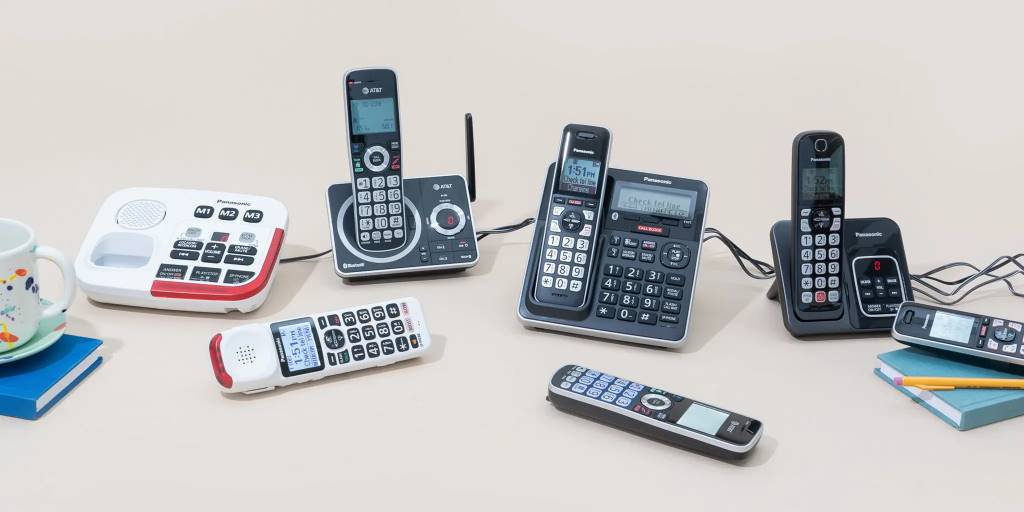
- Buy a Panasonic cordless phone with Bluetooth (around $60–$100 on Amazon).
- Port your landline number to a mobile carrier.
- Install the Google Voice app on a smartphone with the ported number.
- Pair the smartphone with the Bluetooth home phone.
- Make and receive calls using the home phone without touching the smartphone.
This method avoids VoIP adapters but requires a mobile plan. It’s ideal for those who want a simple setup with talking caller ID.
Troubleshooting Common Issues
Running into problems? Here are solutions to common issues:
- No Dial Tone: Check the adapter’s connection to the router and phone. Ensure the adapter is powered on.
- Poor Call Quality: Test your internet service speed. A minimum of 5 Mbps upload/download is needed for clear VoIP calls.
- Calls Not Ringing: Verify call forwarding settings in Google Voice. Ensure your landline number is linked.
- E911 Not Working: Confirm your E911 service is active and linked to your adapter.
- Adapter Not Connecting: Update the adapter’s firmware or restart your router.
For persistent issues, check community content on Reddit’s r/Googlevoice or Google Voice Community forums.
Enhancing Your Google Voice Experience
Maximize Google Voice’s features to improve your landline setup:
- Multi-Line Phone System: Use an Obihai adapter to support multiple Google Voice numbers with distinct ringtones.
- 3-Way Call: Host conference calls directly from your landline phone.
- Text Messages: Send and receive texts via voice.google.com or the Voice app, not your landline.
- Call Analytics: Track call history and patterns on the Google Voice website.
- Privacy Controls: Block unwanted numbers or enable do-not-disturb mode for peace.
For businesses, Google Workspace offers advanced features like auto attendant and shared numbers, but these require a paid plan starting at $10/month.
Limitations to Consider
Google Voice isn’t perfect. Keep these in mind:
- No Native 911 Support: You must add a third-party E911 service for emergencies.
- Limited Business Features: No toll-free numbers or CRM integrations. Consider RingCentral for advanced needs.
- Internet Dependency: Calls rely on stable internet service. Outages disrupt service.
- Obsolete Hardware: Some VoIP adapters, like the Obi200, are end-of-life. Choose newer models like the Obi212 or Grandstream HT801.
Cost Comparison: Google Voice vs. Traditional Landline
Traditional landlines cost $25–$80/month, per user reports on Bogleheads.org. Google Voice is free for personal use, with these exceptions:
- Porting Fee: $20 one-time fee to port a number.
- E911 Service: $15–$25/year for emergency calling.
- International Calls: Rates start at 1 cent/minute for some countries.
By switching, you could save $300–$960 annually, as one user reported saving $480/year.
Meet Sarah, a retiree in Ohio. She paid $45/month for her Comcast landline. Frustrated with rising costs, she switched to Google Voice using an Obi200 adapter. She ported her landline number for $20 and added Anveo E911 for $25/year. Her total setup cost was $95, and she now pays $0/month for calls. Sarah uses her old cordless phone and loves the voicemail transcriptions. In her first year, she saved $520, proving Google Voice’s value for budget-conscious households.
Start Using Google Voice Today
Google Voice transforms your landline into a modern, cost-free communication hub. With a VoIP adapter or Bluetooth phone, you can keep your number, cut bills, and enjoy smart features like call forwarding and spam filtering. Setup is simple, and the savings are real—up to $960/year for some users. Whether you’re tech-savvy or just want a reliable home phone, Google Voice delivers.
Ready to ditch your landline bill? Sign up for Google Voice at voice.google.com, grab a VoIP adapter, and start saving today!
FAQs
Can I use Google Voice with my existing landline number?
Yes, port your number to a mobile carrier, then to Google Voice for a $20 fee.
Does Google Voice support 911 calls?
No, but you can add E911 services like Anveo or PunchAlert for $15–$25/year.
What equipment do I need for Google Voice on a landline?
A VoIP adapter (e.g., Obihai or Grandstream HT801) and a landline or cordless phone.
Can I use Google Voice for business calls on a landline?
Yes, but Google Workspace plans ($10/month) offer better business phone system features.
How do I fix poor call quality with Google Voice?
Check your internet speed. Ensure at least 5 Mbps upload/download for clear calls.
References:
- CDC National Health Interview Survey: https://www.cdc.gov/nchs/nhis.htm
- Pew Research Center: https://www.pewresearch.org
- Google Voice Help: https://support.google.com/voice
- Reddit r/Googlevoice: https://www.reddit.com/r/Googlevoice
- CNET Google Voice Porting Guide: https://www.cnet.com
- NumberBarn Porting Guide: https://help.numberbarn.com
- Old Town Home Blog: https://oldtownhome.com
- Bogleheads.org Forum: https://www.bogleheads.org
About the Author